Collect data anywhere, on any form
Works without internet, builds complex surveys visually, and imports from every tool you already use.
Works without internet.
Zero data loss.
Forms are cached locally the moment they're assigned. Enumerators collect GPS, photos, and responses even in remote villages with no signal — data syncs automatically and securely the instant a connection returns.
- ✓Full form functionality with no connectivity
- ✓Photos, GPS, audio — all cached locally
- ✓Auto-sync with idempotency — no duplicates
- ✓Works on 2G — text first, media batched
Drag-and-drop forms.
No coding required.
Design complex surveys with 14+ field types, visual AND/OR skip logic, form versioning, and nested repeat groups. What you build is exactly what your enumerators see — no surprises in the field.
- ✓14+ field types: GPS, photo, audio, select, repeat
- ✓Visual skip logic with AND/OR conditions
- ✓Form versioning — update without losing data
- ✓Enumerator hints and instructions per field
Describe your study.
AI builds the form.
Share your study objectives and target population — our AI designs a complete, field-ready form with proper sections, skip logic, field types, sub-questions, and enumerator hints. Complex surveys in 90 seconds.
- ✓20–45 questions, 4–8 logical sections
- ✓Correct field types — GPS, select, repeat groups
- ✓Skip logic and conditional flows auto-wired
- ✓Runs in background — edit when ready
Already on KoboToolbox?
Migrate in one click.
Import from XLSForm, KoboToolbox, SurveyCTO, or ODK Central with a single upload — your existing forms come in exactly as designed, with all skip logic and field types preserved. No manual re-entry.
- ✓XLSForm / ODK / KoboToolbox / SurveyCTO
- ✓Skip logic and repeat groups fully preserved
- ✓Migrate team, not just the data
- ✓1/3 the cost of SurveyCTO after migration
Real-time visibility across your entire field team
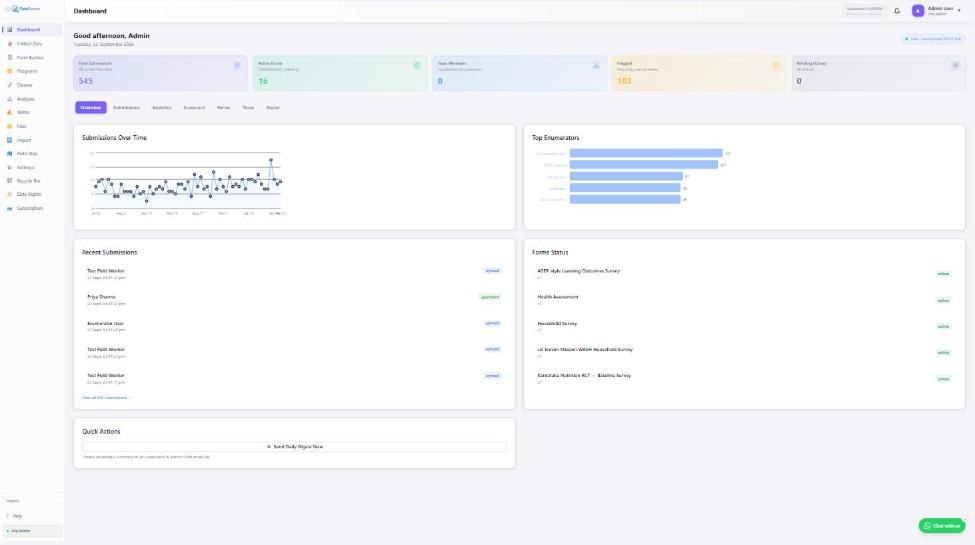
Supervisor dashboard, GPS mapping, panel/M&E tracking, live sync, WhatsApp alerts, and Google Sheets — all connected.
5 MB photos.
200 KB by sync time.
Photos, GPS coordinates, and audio sync securely using a two-phase approach — text fields go first on 2G, then media uploads in background batches when bandwidth allows. Auto-compression included.
- ✓Auto-compress: 5 MB → ~200 KB photos
- ✓Two-phase: text first on 2G, media batched
- ✓Secure presigned S3 URLs for all media
- ✓Resume interrupted uploads automatically
Flag. Approve. Reject.
In real time.
Review every submission with GPS map view, full audit trail, and photo evidence. Flag suspicious records, assign back-checks, and export any subset as CSV, Stata .dta, or directly to Google Sheets.
- ✓GPS map view — see exactly where data was collected
- ✓Flag → back-check assignment workflow
- ✓Export: CSV, Stata .dta, Google Sheets
- ✓Full audit trail on every action
Instant notifications.
No dashboard refresh needed.
MSG91 WABA-powered alerts keep supervisors informed the moment enumerators sync, flag a record, or complete their assignment. Real-time field awareness without any polling.
- ✓Sync alerts — know when each enumerator submits
- ✓GPS mismatch and QC violation alerts
- ✓Daily summary digests to supervisor
- ✓Powered by MSG91 WABA — reliable delivery
Every submission.
Auto-appended live.
Connect once and every new submission is automatically appended as a new row to your Google Sheet — in real time, the moment it syncs. Your data is always current without any manual exports.
- ✓Live append — no scheduled jobs, no manual exports
- ✓Column mapping preserved across form versions
- ✓Multiple sheets per form supported
- ✓Works alongside CSV and Stata export
See every submission.
On a live map.
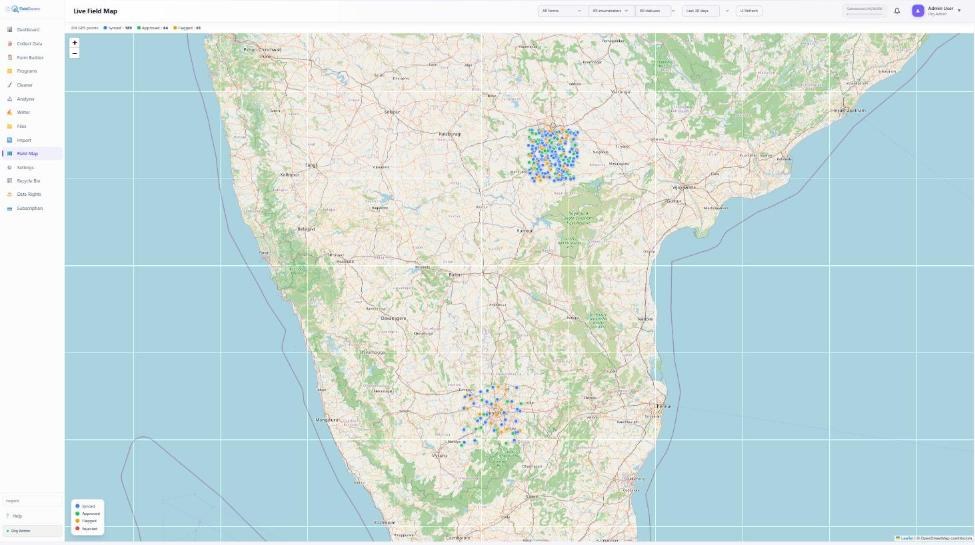
Every response carries GPS coordinates, plotted in real time on an interactive map inside the supervisor dashboard. Cluster markers by district, filter by enumerator or date, and draw geofence boundaries to catch submissions collected outside the assigned survey area.
- ✓Live map view of every submission's GPS pin
- ✓Cluster by district/block, filter by enumerator or date
- ✓Geofence checks — flag submissions outside the survey area
- ✓Cached OpenStreetMap tiles work for offline supervisor review
Track the same respondent.
Across every wave.
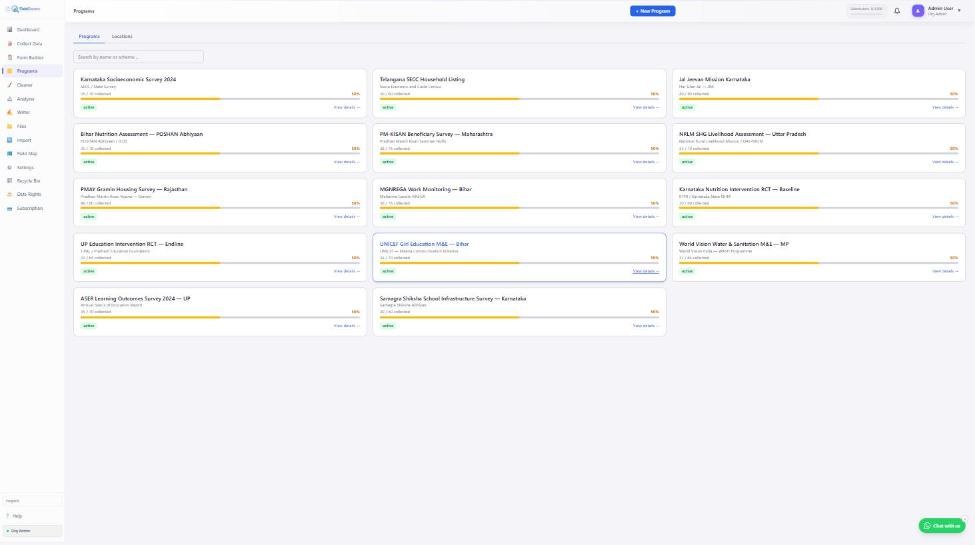
Built for monitoring & evaluation work — assign respondents to a panel, run the same questionnaire across baseline, midline, and endline waves, and roll indicators up into a program scorecard without losing the thread between rounds.
- ✓Panel/cohort tracking — same respondent, multiple waves
- ✓Program-level indicator scorecards, auto-updated
- ✓Assign forms to arms (treatment/control) for evaluation designs
- ✓Attrition & re-contact tracking between waves
Runs on any device.
Lives on infrastructure you control.
FieldGovern's PWA runs the same form, offline, on Android, iPhone, and Windows tablets — no app-store install, one codebase. On the backend, run our India-hosted SaaS (Mumbai servers, DPDP-aligned) or self-host the entire stack via Docker Compose on your own Linux server, so your data never leaves infrastructure your organisation controls.
- ✓Cross-platform PWA — Android, iPhone, Windows, no app store
- ✓Self-hostable via Docker Compose — full source, your servers
- ✓India-hosted SaaS option — Mumbai/Hyderabad data centres
- ✓Data sovereignty — encryption at rest/in transit, row-level tenant isolation
AI report writing, connected to your analysis
Bring your own OpenAI, Claude, or Gemini API key — FG Writer turns Analyzer tables and interpretations into a finished, exportable report.
Data in. Report out.
Interpretation-aware.
Connect OpenAI, Anthropic Claude, or Google Gemini using your own API key. FG Writer reads the per-table interpretations you stored in the Analyzer — generating richer, contextually accurate narratives instead of re-summarizing raw numbers. Export to Word, Markdown, or scheduled email.
- ✓Reads stored Analyzer interpretations — starts with analyst context
- ✓6 report styles: NGO, Government, Research, Medical, Progress, Field Survey
- ✓Export to Word (.docx) or Markdown — paste into any doc
- ✓Version history — save, compare, restore any draft
Set it once.
Reports land in inboxes automatically.
Schedule any report to regenerate and email itself weekly or monthly — supervisors and donors get a fresh narrative without anyone opening the tool. Every generated draft is versioned, so you can compare, restore, or roll back to an earlier write-up.
- ✓Weekly or monthly scheduled email delivery
- ✓Every draft versioned — compare and restore past reports
- ✓Same report definition reused as data refreshes
- ✓Export destinations: Word, Markdown, or scheduled email
Cross-tabs, statistics, and AI — in one workspace
Build tables with AI, run the right statistical test automatically, and catch data quality issues before you present the results.
Build tables in two ways.
Both powered by AI.
Column Picker: Search and select specific columns from your dataset. AI sees the real unique values from your submissions, then designs the optimal table structure — groupby, aggregation, chart type, and pre-cleaned column labels in one shot.
Ask a Question: Type in plain English — "average age of beneficiaries per district, broken down by gender" — and AI parses all your column headers to build the full table specification automatically.
- ✓AI sees real unique values — no guess-work on field content
- ✓Column labels pre-cleaned by AI before the table is built
- ✓NL query understands field research intent — not just keywords
- ✓All tables land in the same shared store — instantly visible in Writer
Every table gets
its own narrative.
Choose from 10 methodology-driven focus templates — Distribution & Spread, High vs Low Performers, Equity & Disparity, Change Over Time, Interaction Effect, Concentration Analysis, Outlier & Anomaly, Program Performance, Group Comparison, or Custom focus. No length restrictions — the AI writes as much as the data warrants.
- ✓Iterative refinement — AI sees your previous interpretation and improves it
- ✓Side-by-side compare: Previous vs Refined before you commit
- ✓Auto-saved 2 seconds after you stop typing — never lose a note
- ✓Stored interpretations flow into FG Writer for richer reports
Cross-tabs and the right test.
Chosen for you.
Build cross-tabulations with a click, then let the built-in test chooser recommend the correct statistical test based on your variables' measurement scale — chi-square for categorical pairs, t-test or ANOVA for group comparisons, Pearson/Spearman correlation for continuous variables. Weighted statistics supported throughout.
- ✓Auto test-chooser: chi-square, t-test, ANOVA, or correlation
- ✓Weighted means, SDs, and effective sample size
- ✓P-values and effect sizes reported alongside every table
- ✓Likert scoring — mean, sum, or z-score, with reverse-coding
From correlation
to what's actually driving it.
Driver analysis one-hot encodes your categorical predictors and runs regression to show which factors move an outcome. For evaluation designs, difference-in-differences causal analysis compares treatment and control before/after an intervention. Power analysis and a guided study-design wizard help you size the sample before you're in the field.
- ✓Driver/regression analysis with automatic categorical encoding
- ✓Difference-in-differences causal analysis (pre/post, treatment/control)
- ✓Power analysis — Cohen's d, required sample size, MDE calculator
- ✓Balance tables — standardized mean difference across arms
- ✓Guided study design wizard for evaluation studies
Duplicates, straight-lining, outliers.
Caught before you analyze.
Survey quality checks scan every response for full-row or partial duplicates and straight-lining (identical answers repeated down a grid), flagging suspect records before they skew your results. Geo aggregation summarizes responses by district or custom boundary, while verbatim coding and cluster analysis round out qualitative and segmentation work.
- ✓Full-row and partial (column-subset) duplicate detection
- ✓Straight-lining detection — flags suspiciously uniform grids
- ✓Geo aggregation — summarize and map by district/boundary
- ✓Verbatim coding palette for open-ended responses
- ✓Cluster analysis for respondent segmentation
Deduplicate. Redact. Never touch the original.
A safe, separate cleaning workspace — dedup engine, PII redaction, and version-safe working copies.
Find the duplicate.
Keep the original untouched.
FG Cleaner scans your dataset for exact and partial duplicate rows — same respondent submitted twice, same phone number reused, same GPS point recorded minutes apart — and lets you review and merge or remove them without ever touching your raw export.
- ✓Exact and partial (column-subset) duplicate detection
- ✓Side-by-side review before merge or removal
- ✓Works on any uploaded file or FieldGovern-linked form
- ✓Runs as a separate step from the raw export — nothing overwritten
Share the dataset.
Not the identity.
Every identifier field marked on a form — name, phone, Aadhaar — can be automatically redacted or masked before a dataset leaves your hands. Aadhaar numbers are masked to their last four digits; other identifiers are replaced outright, so external partners and donors only ever see de-identified data.
- ✓Field-level PII redaction driven by the form's identifier flags
- ✓Aadhaar masking (last 4 digits only) built in
- ✓Redact single values or entire columns/rows in bulk
- ✓Same redaction logic reused in Google Sheets sync exports
Every edit is a copy.
The original never changes.
Cleaning operations run against a working copy of your dataset, never the source file or the live submissions. Step back through your cleaning history, compare before/after, or start over from the untouched original at any point.
- ✓Working copies isolate cleaning edits from source data
- ✓Full history of cleaning operations, reversible at any step
- ✓Export the cleaned copy without ever touching the original
- ✓Safe to experiment — nothing is destructive
Clean data. Full compliance. Always.
Server-side QC, DPDP consent tracking, field-level encryption, tenant isolation, data rights, and multilingual support — built in from day one.
Catch problems
before analysis begins.
Server-side validation, duplicate detection using idempotency keys, GPS mismatch alerts, and a built-in back-check workflow. Your data is clean before it ever reaches the analysis team.
- ✓Idempotency keys — zero accidental duplicates
- ✓GPS-coordinate boundary validation
- ✓Back-check assignment and re-survey workflow
- ✓AI-detected outliers flagged automatically
India's data protection law.
Built into every form.
The Digital Personal Data Protection Act 2023 is baked into the platform — consent tracking per respondent, full audit logs, a data erasure endpoint, and a purpose field on every form. No custom compliance work needed.
- ✓Per-respondent consent captured and stored
- ✓Purpose field on every form (DPDP §6)
- ✓Data erasure endpoint — right to be forgotten
- ✓Full immutable audit log on all data access
English. Hindi. Kannada.
Telugu. And more.
Four languages available out of the box for the enumerator interface. AI-powered label translation lets you add new languages to any existing form in minutes — no developer needed, no strings file to manage.
- ✓EN · हिन्दी · ಕನ್ನಡ · తెలుగు built-in
- ✓AI translation — add any language in minutes
- ✓Per-enumerator language preference
- ✓Enumerator hints and labels both translated
Sensitive fields.
Encrypted at rest.
Personally identifiable fields are encrypted at the database layer using field-level AES encryption — not just disk-level encryption. Public survey responses and per-tenant AI API keys are encrypted with their own dedicated keys, so a database compromise alone doesn't expose respondent identities or credentials.
- ✓Field-level AES encryption for identifier data, independent of disk encryption
- ✓Dedicated encryption for public (anonymous) survey submissions
- ✓Per-tenant AI API keys encrypted separately from respondent data
- ✓Encryption keys never stored alongside the data they protect
Your data.
Invisible to every other tenant.
Database-level Row-Level Security enforces tenant isolation at the PostgreSQL layer itself — not just in application code. Even a bug in a query can't leak one organization's submissions into another's results, because the database refuses the row before it ever reaches the API.
- ✓PostgreSQL Row-Level Security enforced per tenant, at the DB layer
- ✓Isolation holds even if application-layer filtering is missed
- ✓No shared tables without a tenant boundary
- ✓Hardened specifically for DPDP-grade data separation
Access, correction, erasure.
On demand, with a certificate.
Respondents' DPDP rights are handled as first-class workflow: search a request across every form and submission, act on it (redact, export, or delete), and close it out with a generated deletion certificate for your compliance records.
- ✓Search any request across all forms and historical submissions
- ✓Act: redact, export, or fully delete matched records
- ✓Deletion certificate generated automatically on closure
- ✓Overdue-request tracking keeps compliance SLAs visible